
Best Institute for Fullstack Python with Django Certification Course & Placement Training Classes
Python with Django empowers rapid, scalable web development—clean code, powerful features, limitless digital possibilities.
Navi Mumbai
Thane
Mumbai

Build powerful web apps fast—Python simplicity meets Django speed.
Let’s Talk About Your Career Growth
Python Course Syllabus
- History of Python
- Why to learn python
- How is Python Different?
- Installing Python
- Using the interpreter
- Integrated Development Environments (IDE) How to run Python programs?
- How is Python Different?
- Variable
- Keywords
- Statements & Comments
- Indentation
- Data types
- Static Typing vs Dynamic Typing
- Input and output
- Operators Arithmetic operator Relational Operator Assignment Operator
- Logical operator Bitwise operator Membership Operator
- Identity Operator
- If statement
- If - else
- If - elif -else
- Nested if-else
- while loop
- for - in loop
- Nested for loop
- Nester while loop
- Loop with else
- Pass statement
- Break and continue
- Basics Defining function
- function call Return statement
- Function with parameter and without parameter
- Function parameters Call by value or call by reference local and global variable
- Recursion, Anonymous (lambda) function
- User define functions
- Examples
- Basics Defining function
- Defining module
- How to create a module
- Importing module
- Dir()
- Module search path
- Reloading a module
- Sys module
- Os module
- namespace
- Defining package
- How to create the package
- Importing package
- Installing third party packages
- Dir()
- Module search path
- Reloading a module
- Sys module
- Os module
- namespace
- Numeric type basics
- Hexadecimal, Octal, and Binary Notation Complex Numbers
- Typecasting Numeric Functions
- Random number generation(Using Random Modules)
- Defining a string
- Different ways to create string Accessing elements of the string Escape sequence
- Raw string String methods String formatting Expressions
- Defining a list
- Creating list
- Accessing list elements of list
- Deleting list
- List methods
- Functions used with list
- List comprehension
- Implementation of stack and queue using list
- Use of Zip ()
- Matrix operations using list
- Defining a tuple
- Creating a tuple
- Accessing elements of the tuple
- What is Immutability
- List vs tuples
- Tuple Methods Functions used with tuple
- Advantage of Tuple
- Defining a dictionary
- Creating a dictionary
- Accessing elements of the dictionary
- Deleting a dictionary
- Dictionary methods
- Dictionary Comprehension
- Defining a set
- Creating set
- Set operations
- Set methods
- Set comprehension
- Defining a file
- Types of file operations
- Opening a File
- Closing file
- File modes
- File attributes
- Writing to file
- Reading from file
- Appending to file
- File positions
- Binary file
- Pickle module
- Defining an exception?
- Default exception handler
- Exception handling techniques
- User-defined exceptions
- Data types
- Static Typing vs Dynamic Typing
- Input and output
- Operators Arithmetic operator Relational Operator Assignment Operator
- Logical operator Bitwise operator Membership Operator
- Identity Operator
- Method vs function Calling methods
- Instance attribute vs class attribute
- Instance method vs class method
- Private attribute and method Static Method
- Method Overloading Constructor
- Method Overriding Constructor
- List of objects Inheritance
- Examples
- Process-based multitasking
- Thread based multitasking
- Creating a Thread without using class
- Creating thread using class
- Sleep() method
- Join() method Getting and setting the name of the Thread Logging module
- Synchronization
- Lock concept
- Object-Oriented
- Inter thread communication
- Is_Alive() method
- Active_count() method
- Enumerate() method
- Current_thread() method
- Daemon Thread
- Introduction to Tkinter
- Creating a window Tkinter widgets Label
- Button Entry Messagebox List
- Radio Button CheckButton Creating Frame
- Creating Menu Assignments on Tkinter
- Examples
- Defining an event
- Bind() method
- Mousse events
- Keyboard events
- Examples
- Introduction to MySQL.connector module, Connecting to the database by using MySQL, Creating a table by MySQL
- Performing SQL operations, Introduction to mysql, Installing mysql, Creating database using mysql
- Connecting MySQL database from python, Creating a table, Performing
- SQL operations
- Examples
- Introduction to Network programming, Ip address, Port NumberSocketmodule, Server socket, Client socket, Socket methods, TCP socket, UDP socket
- Create server-client examples
- Defining an executable file , Deploying the application
- Create GUI and store data in the Database. (5-day session) Create a server-client program. (using TCP )
Web Design Course Syllabus
HTML, CSS, Bootstrap, JavaScript, jQuery, AJAX
- Intro to Web Designing
- Structure of Designing Using Web Technologies
- About Responsive Website Designing
- VS Code Installation
- Css Fundamentals
- Structure Of CSS
- Selectors
- Declaration & Types
- Units in CSS
- Box Model - Border, Margin etc
- Background Image & Colors
- Menu & Navigation Bar
- Fonts & Text Properties
- Box Shadow, Gradients etc
- Overflow & Display Properties etc.
- Positions - Static, Absolute, Relative, Fixed, Sticky etc
- Animations
- Transitions - Color Effects
- Transforms - 2d & 3d Effects
- Chrome's Inspect Element for Desktop & Mobile for Runtime CSS Manipulations
- CSS Media Query
- Overview
- Creating CSS Media Query Files
- Device Width wise CSS Programming
- JQuery Fundamentals
- Effects
- DOM Parsing
- Form Validations
- Events
- Creating Functions
- Inbuilt Functions
- redirect
- html
- text
- find
- siblings
- parents
- Dynamic CSS Programming
- Hide and show element etc
- HTML5 Fundamentals
- What are html Tags ?
- What are html Elements?
- HTML5 New Elements
- Header
- Nav
- Section
- Article
- Audio
- Video
- Source
- Keygen
- Canvas
- Quotations Tags
- Div Tag
- Paragraph Tag
- Formating Tags
- Anchor Tag
- Table Tags
- Lists & List Types
- Img Tag
- Image Mapping
- Marquee Tag
- Layout
- Forms
- Input
- Placeholder
- Textarea
- Radio buttons
- CheckBoxes
- Form Validations
- On Page Seo Techniques
- Meta Tags - Title, Description, tags etc.
- Header Tags - H1, H2, H3, H4, H5 etc.
- JavaScript Fundamentals
- Variables
- Data Types
- Operators
- JavaScript Programming
- If-Else
- Switch case
- Do while
- For Loops
- Logic Building Sessions
- Creating Functions
- Creating CSS Media Query Files
- Inbuilt Functions
- Date
- String
- Numeric
- Arrays
- 1-D ,2-D Arrays
- Array Methods
- Objects
- Events Handling
- On Click
- On Keyup
- On Change
- On Keypress
- On Keydown
- Regular Expressions
- Js Form Validation
- Dialog Boxes
- Alert box
- Prompt
- Confirm
- HTML DOM (Working with Frontend)
- getElementById
- getElementByClassName
- document.write
- Bootstrap Fundamentals
- Menu & Navigation Bar
- Grid system
- Card
- Table & Table Classes
- Texts & Text Classes
- Image & Image Classes
- Button & Button Classes
- Creating Dropdown
- Creating Loader
- Creating Progressbar
- Breadcrums
- Pagination
- List
- Panel
- Media Object
- Carousel
- Tooltip
- Pop Hover
- Scroll Spy
- Affix
- Bootstrap Modals - (pop ups)
- Creating Responsive Websites in Bootstrap
React JS Course Syllabus
- Features
- Advantages
- Limitations
- Install Global Packages
- Create the Root Folder
- Add Dependencies and Plugins
- Create the Files
- Set Compiler, Server, and Loaders
- index.html
- App.jsx and main.js
- Running the Server
- Using Jsx
- Nested Elements
- Attributes
- JavaScript Expressions
- Styling
- Comments
- Naming Convention
- N.A
- Using Props27 Default Props
- State and Props
- Validating Props
- Set State
- Force Update
- Find Dom Node
- Lifecycle Methods
- Simple Example
- Complex Example
- Simple Example
- Child Events
- Using Refs..51
- Using Keys .53
- Install a React Router
- Create Components
- Add a Router
- Flux Elements
- Flux Pros
- Install Redux
- Create Files and Folders
- Actions
- Reducers
- Store
- Root Component
- Other Components
- Install React CSS Transitions Group
- Add a CSS file
- Appear Animation
- Enter and Leave Animations
- N.A
- N.A
- N.A
Django Course Syllabus
- Introduction to Back-End Web Development using Django
- Advanced Django for Web and Automation
- Building Web APIs using Django REST
- Final Project and Presentation
- Preparing to enter the job market
Popular Job Guaranteed Courses
Looking for a secure IT career? Join our Job Guaranteed Courses in Navi Mumbai, Thane, and Mumbai! Learn trending skills, work on real-world projects, and gain industry experience that comes with 100% job assurance after training.
How Does This Fullstack Python with Django Development Course Work?
💡 Learn
Upskill yourself by gaining insights from leading professionals’ vast experience.
📝 Practice
Sharpen your skills by learning through course assignments, live projects, and regular assessments and quizzes.
❓ Ask
Resolve your queries from industry experts with our dedicated one- to-one doubt-clearing sessions.
🏆 Build
Craft a diverse portfolio and appealing resume, and optimize LinkedIn to showcase your data analytics skills.
12549+
Career Transitions
127%
Avg Salary Hike
₹25LPA
Highest CTC
98.7%
Success Rate
10+
Industry Oriented Projects
Placement Assistance Hai To
Form Bharne Mai Deri Kyun?
15+
Years of Experience
50+
Active Courses
100+
Companies
1000+
Success Stories
Let’s talk about your career growth!
![]()
SofTech Education offers one of the finest curriculums classroom and online. The program is interactive, in-depth, and tailored for student success. If you’re serious about fast-tracking your tech career, SofTech is the platform to trust.

Pooja Katiyar
Statistical Analyst

Fast forward your career in tech with SofTech Education
Our Hiring Partners
We have 13,279+ successful alumni working in top organizations across the world.


Learn the Best Python with Django Courses in Navi Mumbai - Top Development Training Institute for Python Django Certification Online & Offline Classes in Thane and Mumbai
Python with Django is a powerful combination for building web applications swiftly and efficiently. Python provides clean, easy-to-read syntax while Django gives you a clean structure for building websites and APIs quickly. When both come together, it helps developers to create secure, scalable and maintainable websites with less code and faster development time. It includes helpful features for security, user accounts, forms, and database work, so you can focus on solving real problems. This combination is trusted across e-commerce, media, education, and many other fields, which means strong demand for developers who know it well.
Why Choose SofTech Education for Full Stack Python with Django Course?
Choosing SofTech Education for Full Stack Python with Django course offers a practical and industry-focused learning experience modified as per current job market. The curriculum is designed for the aspiring learners which involves the core concepts of Python and Django along with other important frontend techniques such as HTML, JavaScript, and react. This course syllabus helps students to build complete web applications from scratch.
SofTech Education is known for its commitment to mentorship and personalized guidance. Trainer and mentor bring real industry experience into the classroom providing information that fulfills the academic learning and professional applications. Our institute provides both classroom and online training with doubt-solving sessions and career support like resume building, mock interviews to ensure that students are well-prepared for their job placements in the field of software development.
Detailed Syllabus
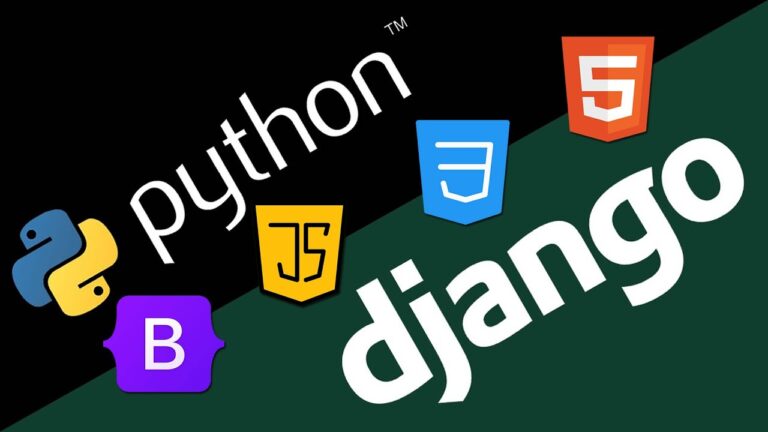
Python (Core Programming)
Start from zero and learn how to talk to the computer.
- Write your first programs and use the Python app (interpreter).
- Work with data (numbers, text, lists, sets, dictionaries).
- Make the computer “decide” and “repeat” using if/else and loops.
- Reuse code with functions, modules, and packages.
- Read/write files and handle errors safely.
- Understand OOP (classes/objects) and basic multithreading.
- Build small desktop apps with Tkinter, connect to databases, and use networking.
- Turn your script into an installable app.
- Apply everything in live projects.
Web Design (Front-End Basics)
Create clean, responsive web pages.
- Structure pages with HTML5 and style them with CSS3.
- Use Bootstrap to make layouts look great on mobile and desktop.
- Add interactivity with JavaScript; speed up tasks with jQuery and AJAX.
- Finish with a small, showcase-ready project.
React JS (Modern Front-End)
Build fast, interactive user interfaces.
- Set up your project tools and folder structure.
- Write UI with JSX and keep code organized and readable.
- Manage data with state and props, work with component lifecycle.
- Handle forms and events; use refs and keys correctly.
- Add routing for multiple pages, learn the Flux idea, and simple animations.
- Follow best practices, do CRUD with real APIs, and create a production build.
Django (Back-End & APIs)
Power your site with a secure, scalable server.
- Learn Django’s MTV pattern and project structure.
- Build models, views, templates; customize the admin.
- Work with forms, validation, users, and permissions.
- Serve static/media files and send emails.
- Create APIs with Django REST Framework.
- End with a Capstone Project and career support to get job ready.
Projects you build and present:
You need to complete one project which will highlight your skills and work. You will be able to build a blog with user accounts, categories, and comments. You will create an e-commerce prototype where a user browses products, adds items to a cart, and places an order, with a simple payment flow for demonstration. You can design a student portal that tracks courses, attendance, and grades with a clean dashboard for admins. You can craft a job board with search, filters, and an easy apply flow and additionally launch a REST API that a mobile application can utilize for registration, login, and data retrieval. Every project is monitored by the trainers and checked thoroughly which will be added in your resume while cracking down the interviews.
Who Can Join This Course?
- Beginners with Basic Python Knowledge: Ideal for the students who have basic python knowledge and excited to start with Django and web development journey.
- Students & Recent Graduates: Students who qualified their degree from computer science, IT, or related fields can join this program to add skills to their resume.
- Aspiring Web Developers: If you want to become a full stack web developer then this program is ideal for you.
- Frontend Developers Wanting Backend Skills: If you are quite familiar with HTML, javascript or CSS then learning Django compliments full stack pictures.
- Professionals Looking to Upskill or Switch Careers: Especially useful if you're looking to move into software development, web development, or tech startups.
- Freelancers or Entrepreneurs: Want to build and launch your own web applications or MVPs? Django helps you go from idea to deployment fast.
Outcomes you can expect
After finishing the course, you are ready to apply for roles such as Python developer, Django developer, backend developer, and full stack web developer, Web Application Developer, Software Engineer.
Demand exists across e-commerce, education, health care, finance, media, and many more sectors. There are openings in Navi Mumbai, Thane, and Mumbai, with strong prospects in Pune and Bengaluru as well, and many teams now hire for remote roles. Our placement support includes resume writing that highlights your projects, one to one technical mock session, HR interview practice, and frequent job alerts. We also share internships and freelance leads to help you build early experience that turns into a full-time offer.
Duration, batches, and certificate
Most of the students usually complete this course in around three to four months. We have got an option of a fast-track batch for those who prefer a quicker pace. If you’re balancing work and study, choose convenient weekend or evening schedules to stay consistent throughout.
How a typical week looks
You attend two or three focused classes. You complete a small assignment that connects directly to an upcoming feature in your project. You meet your mentor for feedback. You revise based on the notes and push your code to GitHub. By the end of the weekend you have something new to show. This rhythm helps you learn consistently without feeling overwhelmed.
Questions people often ask
Q1: Do I need coding experience?
Ans: No. We start from the basics and move in clear steps.
Q2: Can I study from home?
Ans: Yes. There are live online classes along with classroom options in Navi Mumbai with sessions also held in Thane and Mumbai.
Q3: Will I get a certificate?
Ans: Yes. You receive a course completion certificate from Softech Education.
Q4: Is there help with jobs?
Ans: Yes. We provide placement support that cover resume writing, mock interviews, and job referrals.
Q5: Is there an option to pay in parts?
Ans: Yes. Speak with our team for a plan that fits your budget.