


 Navi Mumbai
Thane
Mumbai
Navi Mumbai
Thane
Mumbai













SofTech Education offers one of the finest curriculums classroom and online. The program is interactive, in-depth, and tailored for student success. If you’re serious about fast-tracking your tech career, SofTech is the platform to trust.

Pooja Katiyar
Statistical Analyst
















Master SQL for real business use! Learn to design schemas, write fast queries, tune performance, and secure data on Oracle Database. Study at SofTech Education classrooms in Navi Mumbai Thane and Mumbai or join the same live online SQL classes with mentor support. Build portfolio projects and graduate interviews ready with practical placement assistance.
Oracle SQL is a version of SQL that is used to work with Oracle Databases. It is a powerful system used by many large firms and companies to store and manage data. Just like regular SQL, Oracle SQL helps to add, update, delete and search data, but it also excludes added features and tools designed especially for Oracle’s advanced database systems. It is generally used for managing large amounts of data securely and efficiently in large enterprises.
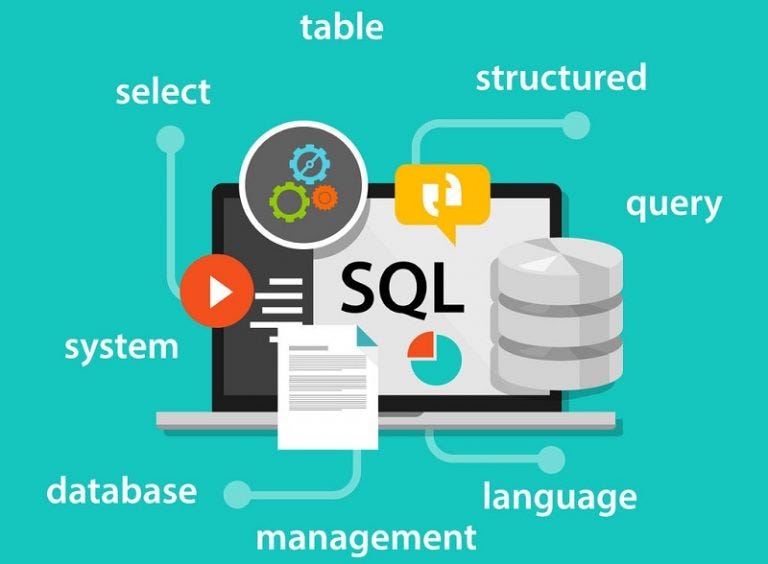 Why Learn SQL at SofTech Education?
SofTech Education is the best IT training institute in Navi Mumbai offers advanced SQL, Oracle SQL with practical and hands-on training guided by experienced instructors who understand industry needs. This course is curated by industry experts that help you to build real-world skills through live projects and personalized support. This equips you for the job roles in data, development and analysis.
SofTech Education also provides a supportive learning environment with flexible class schedules, updated course content and access to industry-relevant tools. Whether you are aiming to switch your career or just planning to start with programming then simply understand how data works. Our SQL course will train you with practical skills that are high in-demand across IT, finance, healthcare and more.
Who Can Join this SQL Certification Course?
- Students after class 12 who want a strong start in databases
- Graduates and postgraduates who need database projects for interviews
- Working professionals in software support testing analytics or reporting who want to upskill
- Business and data professionals who want to query data for decisions
- Teams that need customized corporate SQL training on Oracle Database
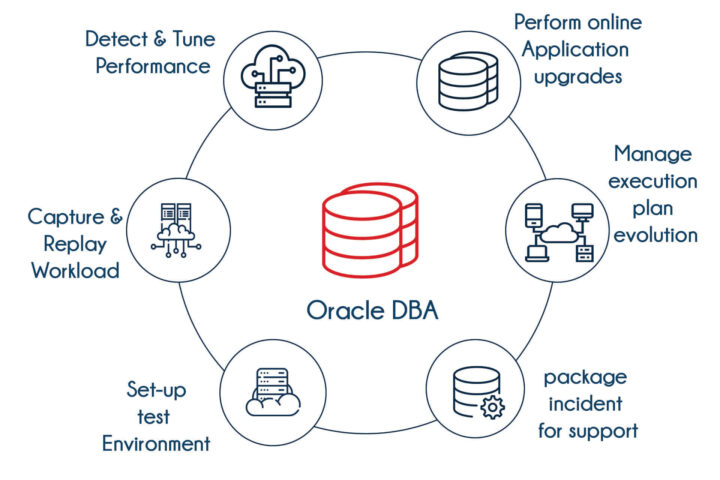 Tools You Will Learn
Oracle Database environment, Oracle SQL Developer, basic command line tools, ER modeling basics, sample schemas for labs, optional exposure to cloud databases such as Oracle Autonomous Database and AWS RDS for connection practice.
What You Will Learn in the SQL Syllabus at SofTech Education?
The syllabus maps to real database work so every topic connects to reports, metrics and applications you can build.
- Getting started with Oracle and SQL Developer
Set up the workspace. Connect to the database. Explore sample data sets. Save queries and run scripts. Use DESCRIBE to view table structure. Understand the idea of a relational database and where SQL fits.
- Querying data with SELECT
Retrieve all columns or only the ones you need, add clear column aliases, compute values with arithmetic while honouring operator precedence, and sort results using ORDER BY in ascending or descending order.
- Restricting and filtering
Write where clauses with comparison and logical operators. Use string literals and wildcards. Filter dates and numbers correctly. Combine conditions for precise results.
- Single row functions and formatting
Manipulate text with character functions. Work with numbers using ROUND TRUNC and MOD. Work with dates using the modern date functions. Build readable output with TO_CHAR and convert input with TO_DATE and TO_NUMBER. Apply conditional expressions such as CASE NVL NULLIF and COALESCE.
- Aggregation and grouping
Calculate totals counts minimums, maximums and averages. Group rows with GROUP BY and filter groups with HAVING. Create executive style summaries that match reporting needs.
- Joining data
Combine tables with inner left right and full joins. Write self joins and cross joins. Use clear ANSI join syntax. Understand primary and foreign keys and how join paths affect performance.
- Subqueries and advanced filtering
Write single row and multiple row subqueries. Use scalar and multiple column subqueries. Work with EXISTS and NOT EXISTS. Build correlated subqueries that reference the outer query. Use the WITH clause and the recursive WITH clause for readable complex logic.
- Data manipulation for applications
Insert update and delete rows with DML. Use multi table inserts where appropriate. Merge data with MERGE for upserts. Manage transactions with COMMIT and ROLLBACK and understand read consistency.
- Data definition and constraints
Create tables with correct data types. Add or modify columns. Create and manage constraints for primary key foreign key unique check and not null. Enable, disable and defer constraints when needed.
- Schema objects and performance basics
Create and use views simple and complex. Create sequences for surrogate keys. Create and manage indexes including function-based indexes to improve speed. Create private and public synonyms for simpler naming. Read execution plans at a basic level and learn index hints only for understanding.
- Security and user management
Create users and roles. Understand system privileges and object privileges. Grant and revoke access responsibly. Change passwords and follow safe practices.
- Data dictionary and metadata skills
Query USER and ALL views to discover objects. Find column data types and constraints. Inspect views sequences indexes and synonyms. Add table and column comments for documentation.
- External data and flashback features
Create external tables with ORACLE LOADER or ORACLE DATAPUMP to read files at scale. Use flashback features to view past states when available. Track changes in data over time with reliable patterns.
- SQL regular expressions
Search, match, and transform text with REGEXP_LIKE, REGEXP_INSTR, REGEXP_SUBSTR, REGEXP_REPLACE, and REGEXP_COUNT. Use metacharacters and subexpressions for real parsing tasks.
 Projects that Build a Strong Portfolio
- Sales and revenue reporting pack with grouped summaries top customers and trend views
- Human resources query suite for attendance payroll and leave analytics using joins and subqueries
- Inventory control schema with constraints sequences function-based indexes and a clean ER map
- Data migration utility that loads external files into staging tables and merges into targets with audit columns
- Log analysis report using regular expressions to parse events and classify errors
- Optional cloud connection demo that runs the same queries on a managed database
Mentors review every project and provide clear suggestions, so each submission improves your portfolio.
Career Opportunities after the SQL Course
You can target roles such as SQL Developer, Database Administrator Trainee, Data Analyst, Reporting Analyst, Business Intelligence Associate and Application Support Engineer. SQL is used across finance retail healthcare logistics and ecommerce which keeps demand steady in Navi Mumbai Thane and Mumbai.
Placement Assistance that Makes a Real Difference
You receive a personal career plan that fits your background. Practice interview tasks such as writing a complex join explaining read consistency and building a clean report query. We conduct technical and HR mock interviews and share honest feedback. Your resume and LinkedIn profile highlight outcomes and live project links. You get guidance during applications and referrals when possible.
Fees Certification and Batches
Batches run on weekdays and weekends with morning and evening choices. Fees are transparent and competitive and installment plans are available. Assessments include module checkpoints and a capstone presentation. On completion you receive a SofTech Education course certificate. Join our classrooms in Navi Mumbai Thane and Mumbai or you can opt for live online from anywhere in India. Learn the concept in a short explanation.
Frequently Asked Questions (FAQ) on SQL:
Is this course beginners-friendly?
Yes, this course is designed for those with no prior experience in SQL.
Do you teach Oracle specific features?
Yes. Labs use Oracle Database and SQL Developer. You also learn common SQL that transfers to other platforms.
Will I build real projects?
Yes. You complete multiple live projects that demonstrate reporting data modeling data loading and optimization basics.
Is placement support included?
Yes. Placement assistance includes mentoring interview practice resume and LinkedIn improvement and guidance during applications.
Can I attend online and classroom?
Yes. You can study in Navi Mumbai Thane or Mumbai centers or join the same classes live online.
Enroll Now
Book a free counselling session to discuss your goals and choose the right batch. Join in person at Navi Mumbai Thane or Mumbai or attend the live online SQL course. Start writing production ready SQL in the first week and move toward a data driven career you can be proud of.